Pip OS
Your TV.
Quietly beautiful.
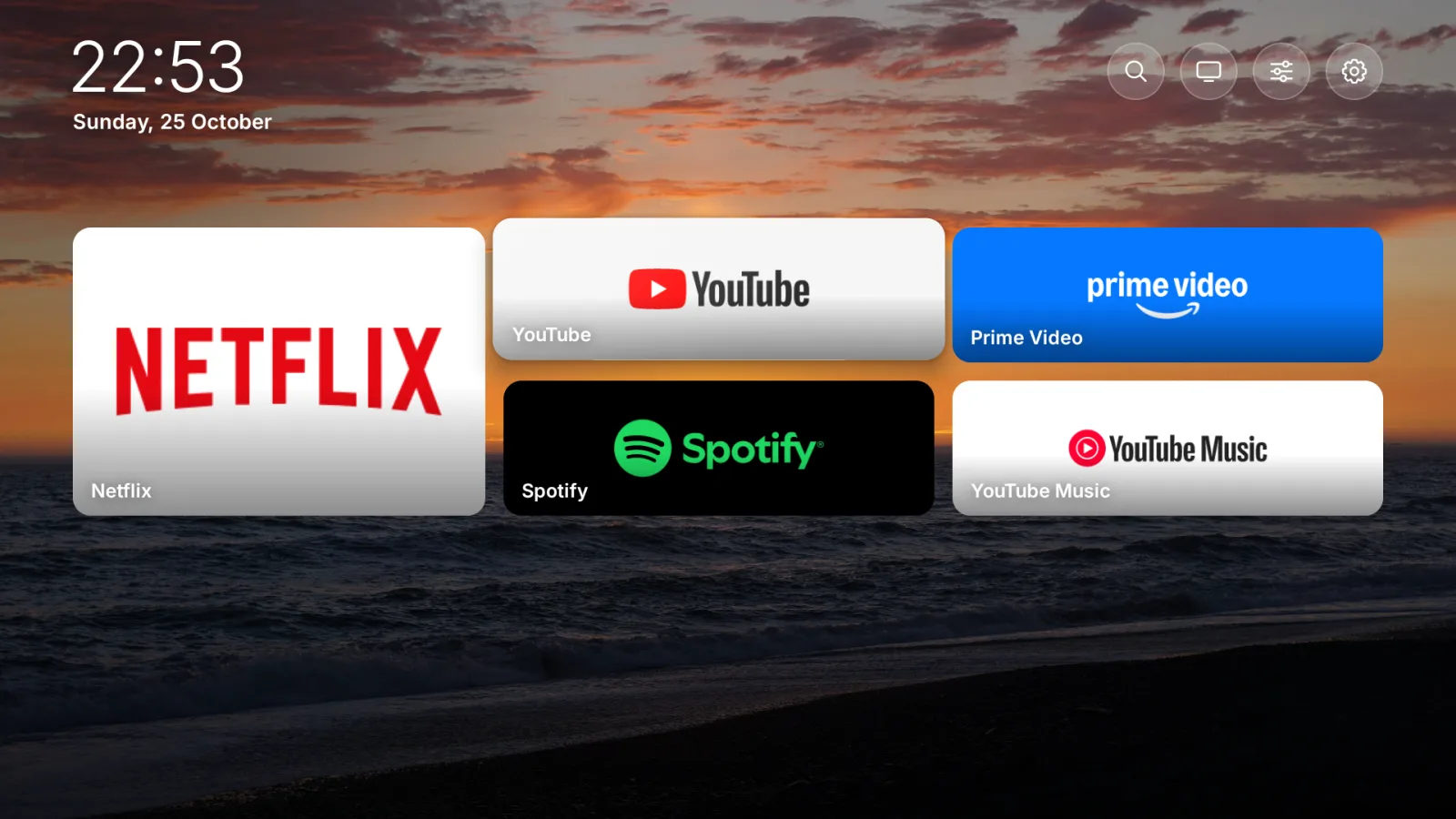
A calm home screen for Android TV and Google TV, with your phone as the remote. Free, and no ads on your TV.
Captured on a real Google TV. Photos from Glacier, Yellowstone, Olympic and Denali national parks.
Hi, I'm Pip.
I'll keep your TV calm and simple. No rows of things to buy, no autoplaying trailers. Just your apps, on a landscape you love.
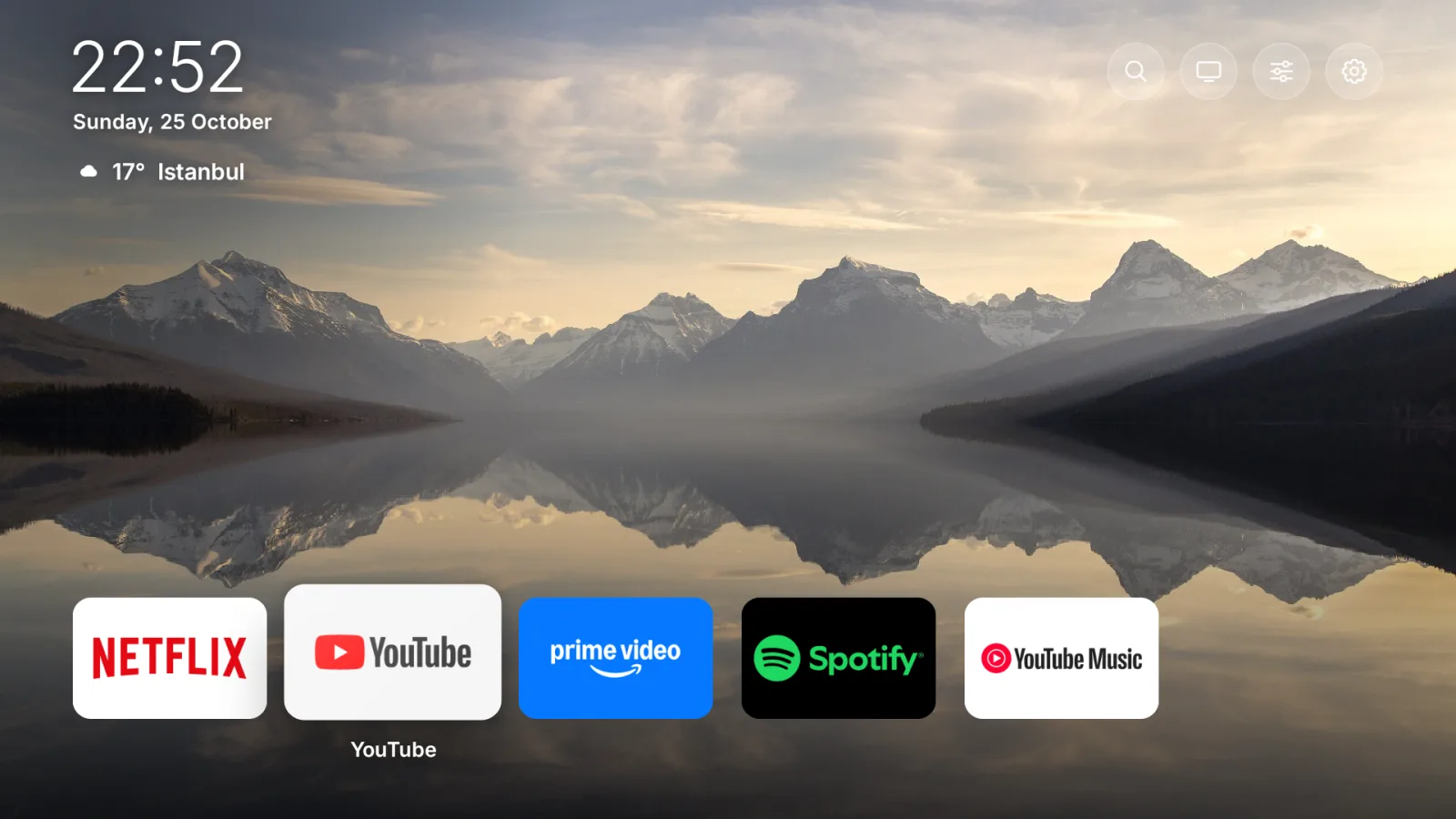
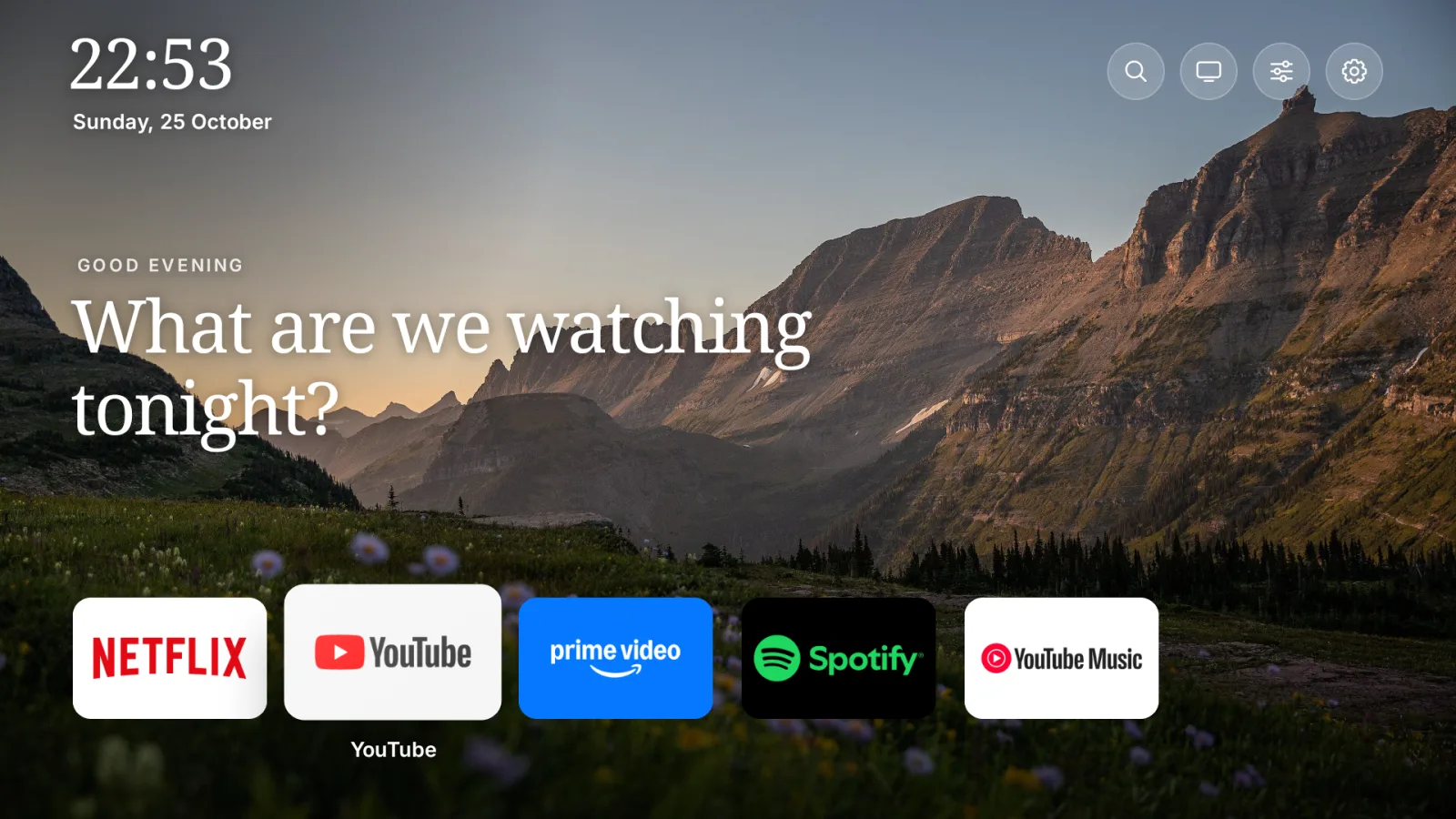
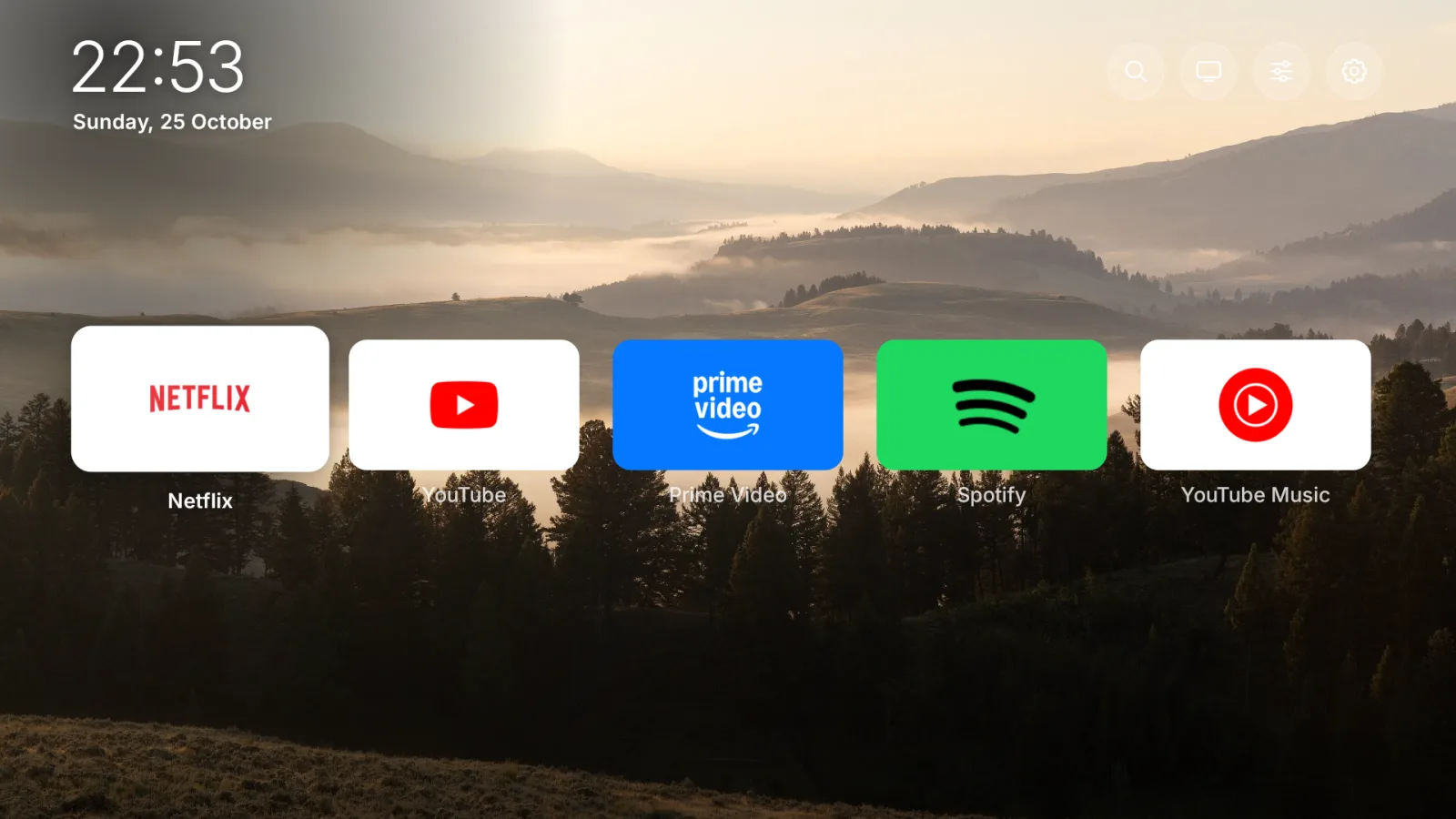
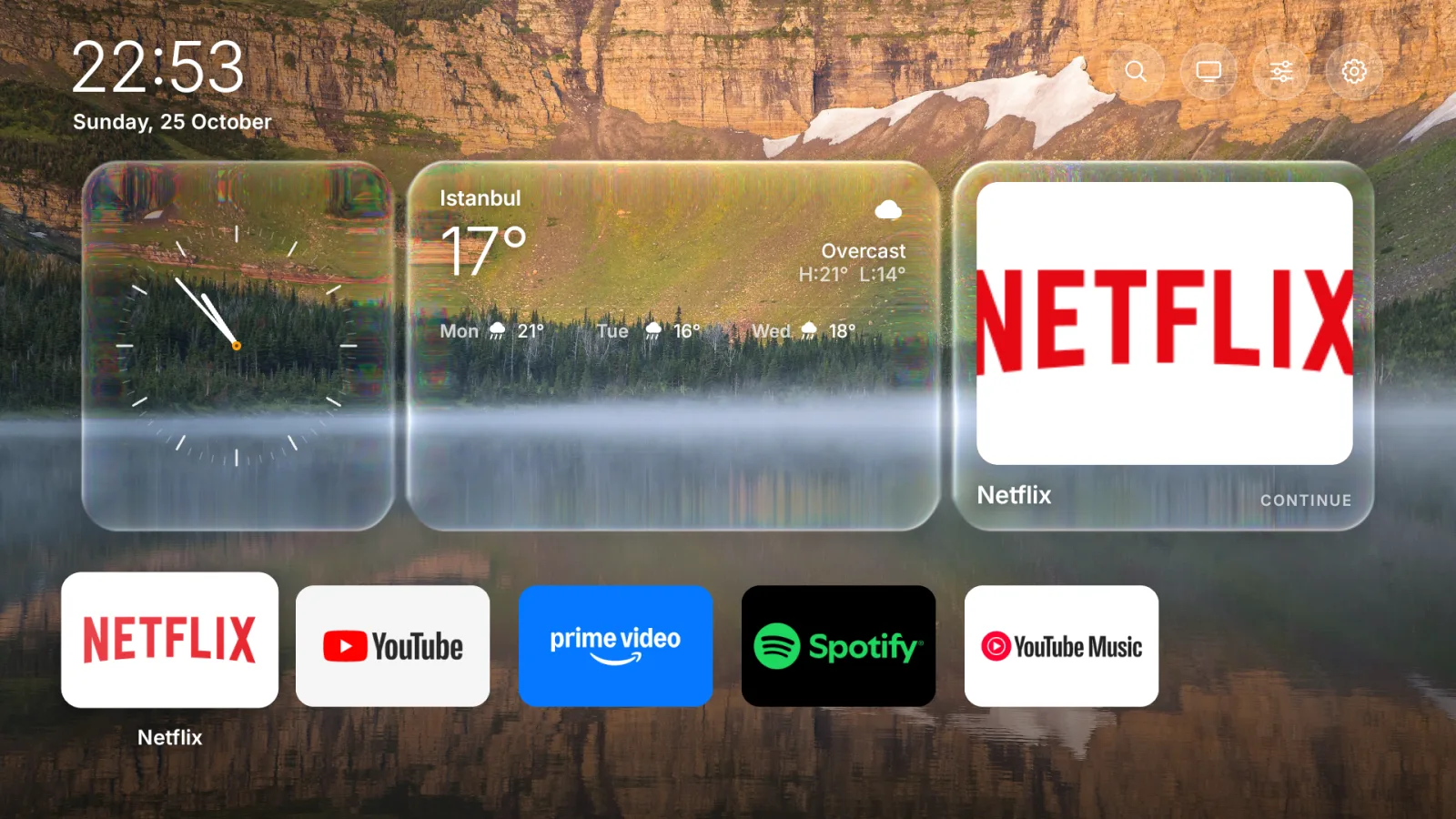
Five looks.
One press.
Press Menu on the remote and make it yours: the layout, the photo, the tiles, even the type. Every change shows on the TV right away.
Your phone is the remote.
Pair once.
Type the 4-digit code the TV shows. No account, no cloud.
Send to TV.
Share a YouTube or Netflix link on your phone. It opens in that app on the TV, with no typing on the TV.
Everything one tap away.
A touch surface, keyboard and volume, plus the TV's Inputs and Quick settings.
Try it live The real remote with a pretend TV, right in your browser.
Fast on the TV
you already have.
Measured on a 2 GB Google TV, not a demo machine. Every number is published with the test that made it.
Everything a TV home should do.
Inputs
TV and every HDMI port as cards. Name what's plugged in: PlayStation, Xbox, Switch.
Quick settings
Sleep timer, screen saver, Wi‑Fi, picture and sound in one place.
Clean up
Tick the apps you never use and hide or remove them together. Apps that came with the TV are never removed.
Real landscapes
Twelve 4K photographs from US national parks, in the public domain.
Updates itself
New versions arrive in the app. Android asks before every install.
Private
No account and no tracking. The remote talks to your TV and nothing else.
Private listening
The TV's sound in your phone's headphones, with the TV's speakers quiet. Works with YouTube and most apps.
Kids mode
Only the apps on the home row, nothing to change or uninstall. A 4-digit PIN gets you out.
Bedtime
Pick a time. A gentle note appears over whatever is on, and the TV sleeps 15 minutes later.
Music controls
Spotify or YouTube Music playing on the TV shows up on your phone with play, pause and skip.
Watch on your phone
The TV's picture, live, above the remote's touch surface. Handy from the kitchen.
Profiles
"Who's watching?" Up to four people, each with their own look and home row.
Free for good.
Pro when you want more.
The home screen, the phone remote, send-to-TV, inputs and quick settings never cost a thing. Pip Pro adds every landscape and layout, the serif font, moving backgrounds and private listening: your TV's sound in your headphones.
Pip Pro · $4.99 once No subscription. Works offline.
Three steps. One remote.
No account, no computer, no cables.
piptv.github.io
On your TV, open Google Play and install Downloader.
Open it and type piptv.github.io.
Press OK on Install free, then Install.
Pip doesn't change your TV's system: to remove it, uninstall Pip OS in Settings → Apps. Updates arrive in the app by themselves.
 Scan with your phone's camera
Install Pip Remote (2.4 MB). Open it, pick your TV and type the 4-digit code the TV shows.
No app needed: on the TV press Menu, choose Connect a phone and scan its QR code. The remote opens in your browser.
Try the remote live with a pretend TV first.
Download pip-tv.apk (15 MB).
On the TV, turn on Network debugging in Developer options.
Run adb connect TV_IP:5555, then adb install pip-tv.apk.